
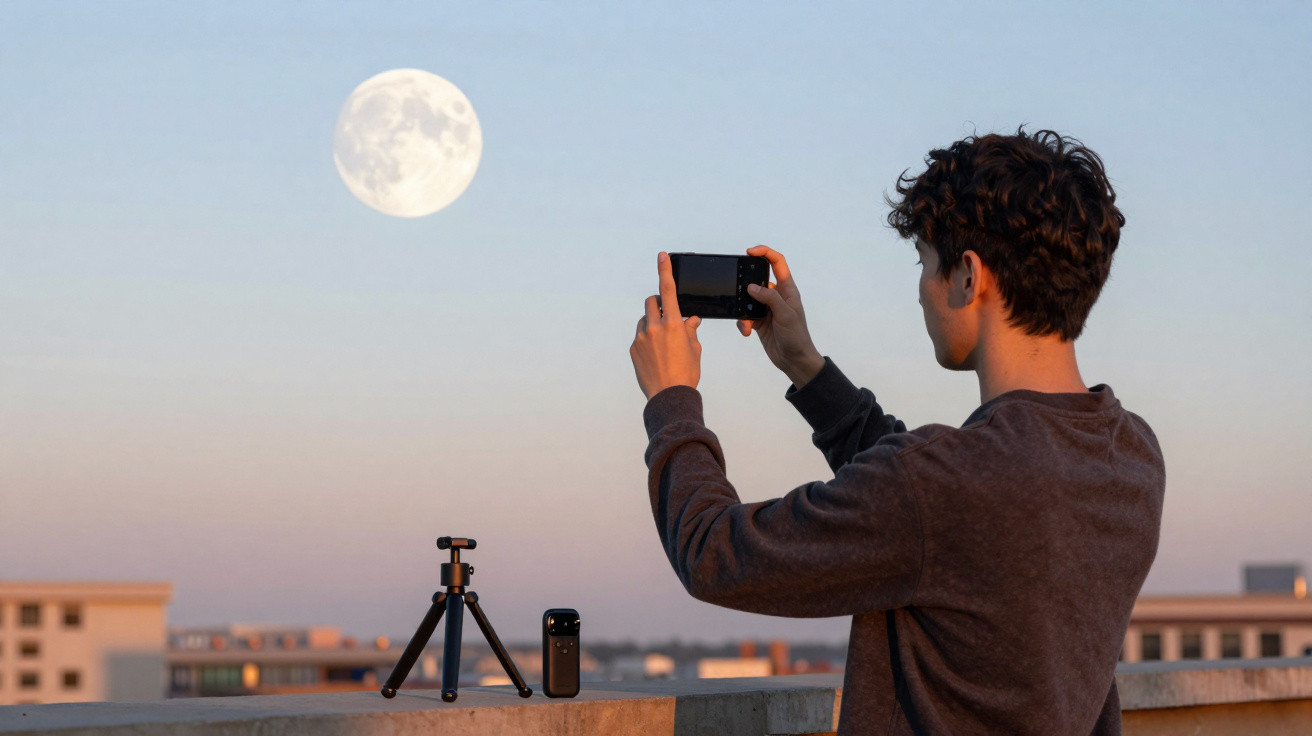
For the first time in more than 50 years, people travelled back to the Moon last month aboard NASA’s Artemis II. While the Moon itself is unchanged, it still commands attention whenever it glows in the night sky.
Yet, when we attempt to photograph the Moon, many of us capture a tiny, faded white speck rather than the vivid, crater-covered neighbour we can see so distinctly with our own eyes.
Phone cameras and Moon photos
Your eyes do not perceive the scene in the same way as your phone. When the Moon is low on the horizon, it can appear enormous and brilliantly lit, particularly when framed by trees or buildings. A phone camera, however, sees it as one distant detail within a broad landscape.
Scale is the first issue. The Moon occupies only a small portion of the sky, while your phone is recording a large expanse of it. Brightness creates another difficulty.
Because the Moon reflects sunlight, it is far brighter than the surrounding night sky. Automatic camera settings can overcorrect by either blowing out its details or attempting to brighten the darkness around it.
Focusing presents a further problem. Phones are built to focus on subjects nearby, rather than an object 238,900 miles (384,400 kilometres) away. As a result, the camera may continually hunt for a sharp point.
The atmosphere can also interfere. Rising heat from roads and roofs may warp the air, while even light cloud cover can reduce image sharpness.
A photographer’s approach to better Moon photos
Astrophotographer Alex Cherney has spent years finding ways around these restrictions, and his guidance is remarkably straightforward. The preparation begins before you open the camera.
“We just had a full Moon, but shooting during the quarter or crescent phases gives you a more defined terminator line, and those stronger shadows help the largest craters stand out for a more dynamic image,” Cherney told CSIRO.
These shadows are important because they create depth. In photographs, a full Moon can appear flat, whereas a partial phase reveals its contours and texture.
Small adjustments make a big difference
A sharper image is often a matter of taking control. Switch off the flash, and reduce the brightness of your screen so that your eyes can adapt to the darkness.
Where your phone supports it, use manual focus and lock it onto the Moon. Next, lower the exposure until surface features become visible rather than leaving you with a bright, glowing blur.
Not every phone provides these options in its standard camera application. For those devices, Cherney recommends using alternative software.
“If your phone doesn’t support manual focus and exposure controls within the native camera app, you will need a third-party app such as Halide, ProCamera or Camera M,” Cherney explained.
Keeping the phone still is equally vital. The slightest movement can soften the picture, particularly at high zoom levels.
“Especially at large zoom settings, eliminating shake is key to keeping the Moon steady long enough to frame your image and capture detail. Otherwise, you’ll end up with blur, a blown-out white blob, or both.”
Morning light offers a different view
The Moon is not solely a subject for night photography. This week, it remains visible through the morning and sets around mid-morning. That allows for a different type of image, with sunlight and moonlight occupying the same sky.
As the Moon becomes a narrower crescent, the early morning offers the strongest opportunity. The illumination is gentler, while the sky contributes colour to the composition.
According to Cherney, “Finding that sweet spot where you balance the Moon, the dawn sky, and an interesting foreground (like treetops) is a good way to get a really dynamic image.”
Combining those components adds another dimension to the photograph. It transforms an ordinary Moon photo into a complete scene.
Fixing the most common problems
Moon photos tend to go wrong in familiar ways. A brilliant white disc generally indicates excessive exposure, and reducing it can restore surface detail.
When the Moon appears too small, digital zoom is unlikely to improve the result. Cropping the photograph later is a better option, or you can use optical zoom if your phone includes it.
Blurring is commonly caused by movement. A tripod is useful, although placing your phone on a car roof or a pile of books can also provide a stable base. Using a brief timer prevents the tap of the shutter button from shaking the device.
Unusual halos or colours may be caused by a dirty lens or light pollution. Cleaning the lens quickly and moving slightly can resolve more problems than you might expect.
Humans and the Moon
The Moon captivates us because it is near enough to seem intimate, yet distant enough to remain mysterious. It drives the tides, influences our calendars and illuminates the night in ways that inspired our ancestors to build entire religions around it.
Taking a photograph of the Moon can feel like preserving something ancient and beyond reach – a source of fascination shared with every person who has ever lived on Earth.
Few photographic subjects reward the patience and skills needed to capture the perfect Moon shot in quite the same way.
Thanks to NASA and CSIRO for the information used in this article.




Comments
No comments yet. Be the first to comment!
Leave a Comment