
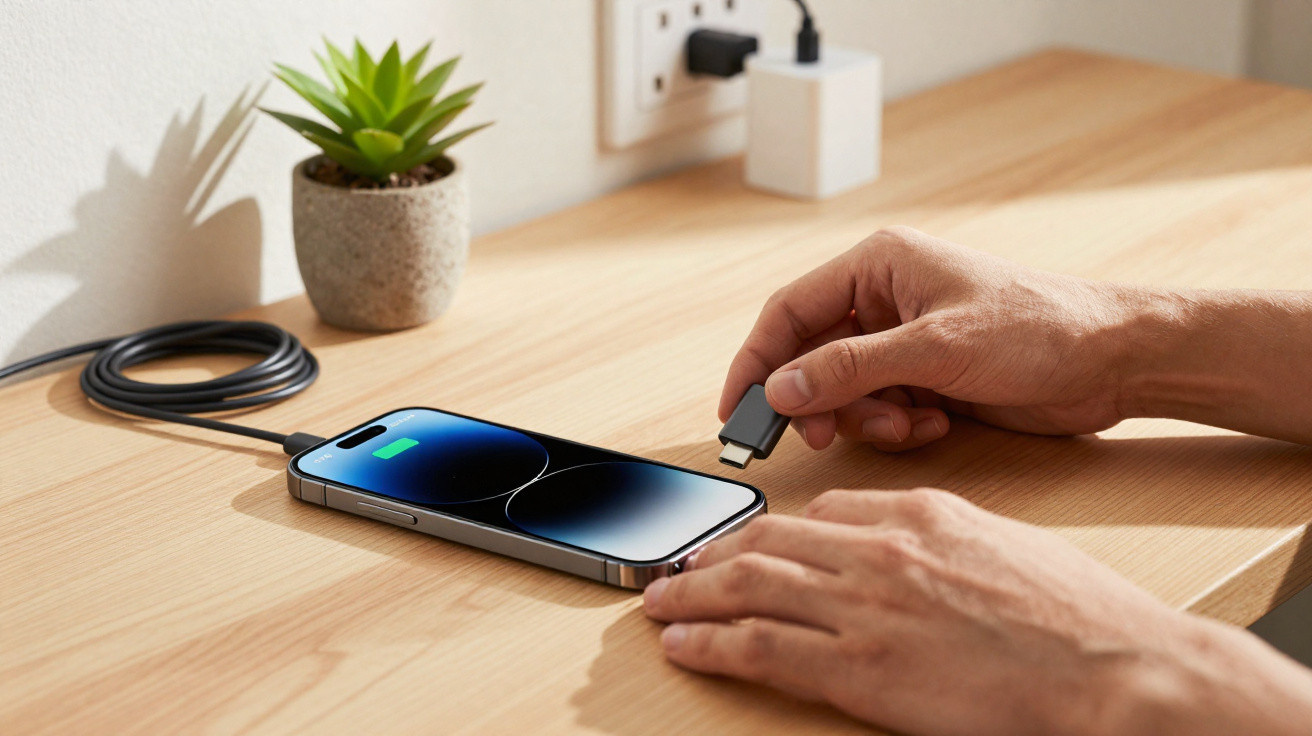
Modern mobile phones are compact high-performance computers, yet many people are surprisingly careless when charging them. The order in which you connect and disconnect the cable may seem unimportant at first, but it can affect how long the battery, charging port and mains adapter last.
Why the charging order matters at all
It may sound trivial: plug it in, the phone charges, job done. However, brief voltage spikes can occur at the moment electricity starts flowing. These tiny shocks can put strain on components, contacts and, in some cases, the battery itself.
This is where the order becomes relevant. Depending on which end of the cable is connected first, either the phone or the mains adapter absorbs this load. One of them is significantly more vulnerable: the delicate charging port in the device.
Using the wrong order can, over time, lead to a loose connection or even complete failure of the charging port.
In addition, many people connect and disconnect their cable several times a day. Over months and years, that adds up to hundreds of stress cycles. Small differences in everyday handling can therefore have a noticeable effect.
How to connect your mobile phone correctly
The rule of thumb is straightforward but effective: connect the cable to the mains adapter first, then connect the smartphone.
Step by step: connecting safely
- First, plug the USB connector into the mains adapter.
- Next, plug the mains adapter into the socket.
- Only once the mains adapter is connected should you plug the connector into your phone.
The benefit is that voltage changes occur mainly on the mains adapter side. Once it is connected, the phone receives a much more stable voltage. Short-lived spikes during connection are more likely to be handled by the robust mains adapter than by the phone's sensitive electronics.
This sequence can prevent plenty of trouble, particularly with inexpensive chargers that do not supply perfectly smoothed voltage.
Many people make the same mistake when disconnecting
What many people do not realise is that the order also matters when unplugging. The key is to relieve the sensitive side first - the phone - before cutting the connection to the socket.
How to disconnect your phone from power gently
- First, remove the connector from the phone.
- Then unplug the mains adapter from the socket.
- Finally, if necessary, disconnect the USB connector from the mains adapter.
This stops the flow of electricity at the device in a controlled manner. The final minimal voltage fluctuations are then dealt with by the mains adapter, without reaching the phone's electronics.
Disconnect the phone first, then pull out the mains plug - this protects the port, cable and battery.
The most common everyday charging mistakes
Charging order is only one part of the picture. Numerous other habits can shorten a smartphone's life. These are some typical mistakes:
- Charging with cheap mains adapters: Unbranded chargers without certification may produce voltage spikes and often become hot.
- Leaving the phone charging overnight in a thick case: The device cannot release heat effectively, its temperature rises and the battery ages faster.
- Charging on fabric or a bed: Heat can build up, especially with fast chargers.
- Mechanical strain: The phone rests on the cable, sits at an angle on the connector or the cable is bent while in bed - ideal conditions for loose connections.
- Charging in intense heat or direct sunlight: High temperatures cause substantial damage to lithium-ion batteries.
How to monitor battery condition
Many users only notice damage to the charging electronics or battery when their phone suddenly charges extremely slowly or switches off at 30 per cent. Special tools that display the charging current can help here.
A battery app lets you see whether the cable, mains adapter and port are still delivering the expected performance.
Android devices in particular have apps that show how much current is actually reaching the phone while it charges. If this figure suddenly drops considerably despite using the same mains adapter and cable, it may indicate an issue with the charging port or battery.
Why the charging port is so vulnerable
The charging port is a weak point because it must withstand mechanical and electrical stress at the same time. Dust, pocket lint, pulling hard on the cable and drops can all take their toll.
Over time, this can result in the following problems:
- The connector no longer fits securely and slips out easily.
- The charging connection cuts out with even the slightest movement.
- The phone recognises the charger only intermittently.
- Fast charging no longer works, leaving only slow charging available.
Depending on the model, charging-port repairs can be expensive and can quickly reach three figures. Connecting and disconnecting carefully can push this cost much further into the future.
How proper charging habits affect battery life
The connection order will not solve every battery issue, but it supports an overall gentler approach to charging. It is also worth following a few simple principles:
- Keep the battery between 20 and 80 per cent where possible. Extreme charge levels put stress on the cells.
- Avoid fast charging when charging for long periods. Standard charging generates less heat.
- Do not charge your phone while gaming. Gaming and charging together drive up the temperature.
- Do not leave the device permanently in a thick case while charging. If the phone becomes warm, it is better to remove the case briefly.
Together, these measures extend the battery's usable lifespan before it noticeably loses capacity and everyday life turns into a charging marathon.
Charging on the move: power bank, car and solar panel
Many people no longer charge their phone only from a conventional wall socket, but also from power banks, in the car or even via solar panels. The same rule about connection order applies in all of these situations.
Practical examples:
- Power bank: Secure the cable to the power bank first, then connect it to the phone. When disconnecting, again remove the phone connector first.
- Car charger: First insert the adapter into the cigarette lighter or 12-volt socket, then connect the cable to the phone.
- Solar panel: First connect the panel to the controller or power bank, then plug in the smartphone - solar charging fluctuates considerably, so proper cabling is especially important here.
Poor connections and wobbles frequently cause charging interruptions, particularly with mobile charging options. Connecting everything methodically from the start saves a great deal of frustration.
When it is worth replacing the cable and mains adapter
A charging problem is not always caused by the phone itself. Often, the cable is simply worn out or the mains adapter has weakened. Typical signs include:
- The cable feels “soft” or bent near the connector.
- The plastic outer covering is torn.
- The mains adapter becomes very hot, even during brief charging.
- Other devices also charge slowly with the same accessories.
Anyone who charges regularly should treat cables and mains adapters as consumable items - not as purchases “for ever”.
A certified branded mains adapter with a suitable cable costs considerably less than repairing the charging electronics. Combined with the correct connection order, it creates a much safer and longer-lasting charging setup.
Why small habits can have a big effect
The order described here may add two seconds to your routine, but in the long run it saves money and hassle while also helping the environment, as devices do not need replacing as quickly. This becomes especially significant in homes with several smartphones, tablets and power banks.
Perhaps the most important point is this: once you get used to this simple routine, you will often automatically pay closer attention to other aspects of using technology too. Cables no longer lie beneath chair wheels, devices are no longer charged under pillows and cheap chargers disappear from sockets. It is precisely these many small steps that ensure your phone powers up reliably when you genuinely need it - whether in an emergency or for the final percentage point on the journey home.






Comments
No comments yet. Be the first to comment!
Leave a Comment