
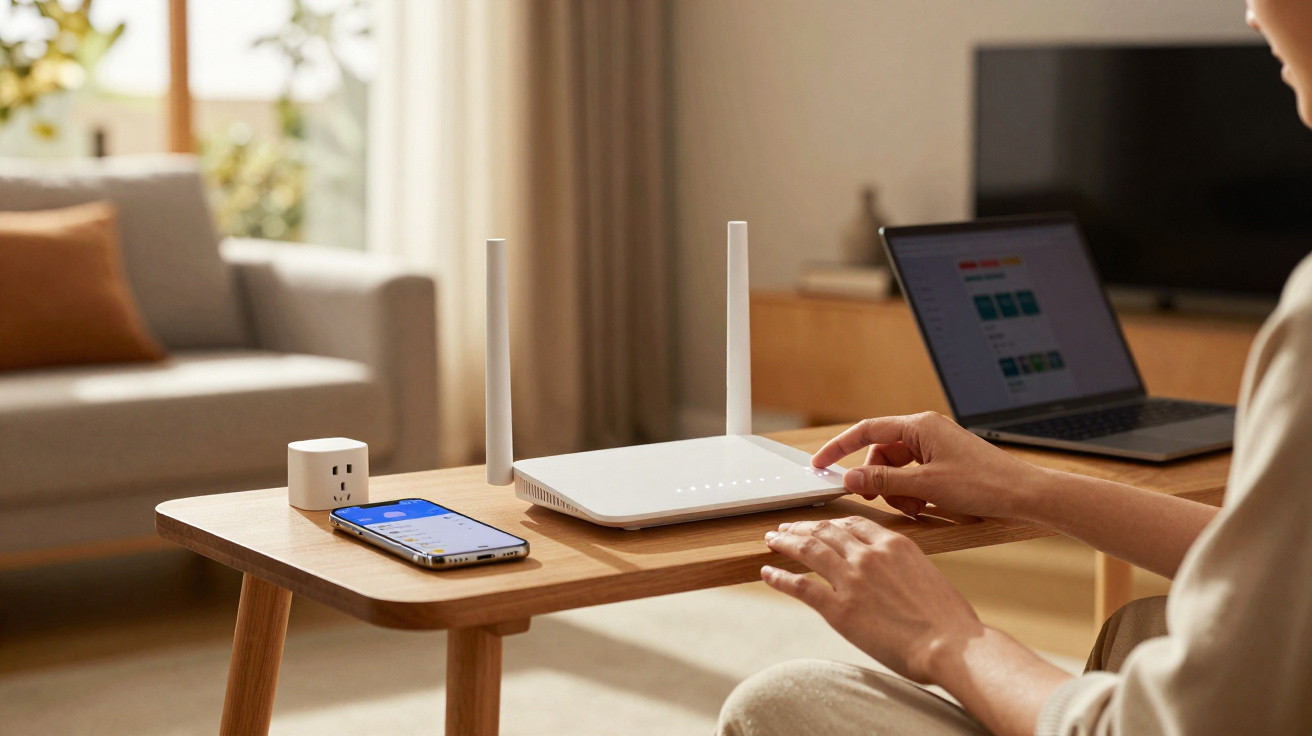
Your Wi-Fi can seem perfectly fine-until it suddenly is not: films buffer, calls break up and webpages take ages to load. The overlooked remedy is often sitting on the shelf: a small plug that simply needs to be removed.
The kettle has just switched off, the living room is peaceful, yet your film freezes during its most dramatic close-ups. You stare at the router’s little lights-one flashing, another apparently sulking-and question whether the issue is your broadband connection or sheer bad luck. Neighbours’ networks spill through the walls, your phone keeps switching between 4G and Wi-Fi, and the smart speaker says it is “having trouble connecting right now”.
You get up, pull out the plug, wait a moment and reconnect it. The room seems to relax. Your stream immediately resumes as though nothing had gone wrong. So why is this simple reset so effective?
A modest monthly routine could separate effortless connectivity from constant frustration. It takes one minute and can make a major difference.
The hidden slowdown in your home
Routers are compact computers. They generate heat, operate firmware and retain small amounts of data throughout the day. Eventually, this can create minor problems, including memory leaks, overloaded buffers and muddled network tables. When Netflix becomes a blur or a video call starts lagging, it is not usually the entire internet failing-it is often your router asking for a pause.
Most of us know the pattern: yesterday, the connection seemed fast enough. Today, your laptop is painfully slow, while your child’s console complains about “NAT type”. By lunchtime, the printer has disappeared as if it had left the house. Unplug the router, count to ten and everything seemingly returns by magic. It is not magic; your router is simply clearing itself out.
During a power cycle, temporary clutter is removed, overloaded processes are restarted, and routing and wireless tables are rebuilt from the beginning. It may encourage a fresh channel choice if a neighbour’s baby monitor or a microwave is creating interference. The process can also renew your IP lease, shut down zombie connections and relieve heat-related strain that gradually limits performance. Put simply, it gives your home network a clean slate.
The monthly router reset: doing it properly
Make it a “first Sunday” habit. On a chosen day, disconnect the router’s power for 30–60 seconds and allow its capacitors to discharge. Where you have separate modem and router units, switch off the modem as well. Turn the modem back on first, wait for it to stabilise, then switch on the router. Following that order prevents unnecessary handshake issues.
Let’s be honest: nobody really does this every day. Once a month is the ideal balance-regular enough to remove gremlins, but not so frequent that it conceals more serious faults. Avoid pressing the reset pin unless you intend to carry out a complete factory reset, because that erases your settings. Do not pull out Ethernet cables in the middle of a call, either. And resist judging your speeds as soon as the lights illuminate; leave the connection for two minutes to settle first.
“Power-cycling once a month is like brushing your network’s teeth - quick, boring, and it keeps trouble away.”
- Speed: removes buffer bloat and releases memory to make everyday browsing faster.
- Soft reboot: encourages a new channel selection when neighbouring networks are causing congestion.
- Security hygiene: ends lingering sessions and reduces unusual device behaviour.
- Fresh start: allows the hardware to cool and may lengthen its lifespan by reducing heat.
What experts understand-and your home confirms
Network engineers value reliability rather than drama. Disconnecting your equipment monthly creates more predictable stability. Many internet service providers also recommend a reboot when speeds decline, as it renews the DHCP lease and removes outdated routes. This small reset can help unreliable smart devices announce themselves again, ending those strange occasions when lights respond on your phone but not on your partner’s.
There is another, less obvious benefit: shifting interference. Your surroundings do not stay the same-a new cordless phone, a neighbour’s new mesh kit or the motor in a tumble dryer can all affect the signal. Restarting initiates fresh channel scans, allowing the router to avoid today’s noise instead of yesterday’s. It is basic maintenance that helps Wi-Fi continue to feel new.
Modern routers are certainly better at recovering by themselves, but they can still benefit from a manual prompt. Firmware is software, and software can get stuck. One minute without power restarts the stack, clears half-open connections and removes ghost devices. It is not a universal solution, but it resolves 80% of ordinary oddities. That makes it a quick, low-effort win.
Unplugging smartly-and what to do when problems persist
Create a repeating reminder. Disconnect the power for 30–60 seconds, starting with the modem and then the router. If your setup uses a mesh system, turn on its nodes only after the main unit has started. Wait until the lights have stabilised before testing anything. Once you are online again, carry out a quick speed test next to the router using a wired device to establish a baseline, then check Wi-Fi in the places where you normally use it.
If dropouts continue, raise the router off the floor and keep it away from metal objects, televisions and fish tanks. Plan large app updates overnight so that they do not disrupt your evening streaming. You might reserve the 2.4 GHz band for long-range smart plugs, while using the 5 GHz or 6 GHz band for laptops and TVs. If the router offers the option, turn on automatic firmware updates so improvements arrive while you sleep.
“Most ‘the Wi-Fi is broken’ moments are just congestion, heat, or stale software. A monthly reset clears all three.”
- Position it high up and centrally for clearer coverage.
- Name SSIDs sensibly: one for visitors and one for your own devices.
- Use WPA3 where available, and replace the default administrator password.
- If you repeatedly reboot to solve the same problem, note the times-it can help identify the real fault.
A small routine with wider benefits
You are not trying to achieve perfection. Instead, you are giving your home network a straightforward rhythm: one minute each month to refresh, recalibrate and prevent small snags from escalating. Over time, that routine can keep mood-spoiling buffering under control, make smart homes feel less “haunted”, and spare you midnight conversations with support when all you want is to watch the match.
It also reinforces a useful principle: begin with the simple option. Pull the plug, pause, then decide whether larger changes are needed-improved positioning, fewer sources of interference, a newer router or a mesh kit for that difficult back bedroom. Make the habit known at home so that nobody is nervous about using the switch. Small routines can mean smoother days.
| Key point | Detail | Benefit for the reader |
|---|---|---|
| Monthly power cycle | Disconnect for 30–60 seconds to clear memory and stale connections | Fewer freezes, more responsive apps and calmer evenings |
| Re-scan wireless channels | A restart encourages a new channel choice to avoid neighbour interference | A steadier signal in busy flats and terraced homes |
| Heat and lifespan | Brief downtime cools hardware and reduces long-term strain | More dependable equipment and fewer unexpected replacements |
FAQ:
- Should I reboot or fully reset my router? A reboot or power cycle is sufficient in most cases. A factory reset should only be used as a last resort because it removes your settings.
- How long should I leave it unplugged? Thirty to sixty seconds allows residual power to drain and sessions to expire before a fresh start.
- Will this fix slow broadband from my provider? No, not if the external line is at fault. However, it will remove local glitches, helping you identify what is genuinely responsible.
- Is there a best time to do it? Choose a quiet time each month-early morning or late evening-and avoid online exams, calls or live matches.
- What if I need to reboot weekly? That can indicate deeper problems: poor positioning, outdated firmware, overheating or a router that no longer suits your home. Consider an upgrade or a mesh system.





Comments
No comments yet. Be the first to comment!
Leave a Comment